Add images to your markdowns.
Put the screenshot beside the instructions, or a figure beside the result. Upload an image, insert its reference, and keep writing in the same Markdown document.
Open the editorImage uploads and the media library are included in Pro. Sign in to upload; file and storage limits apply.
Example Markdown
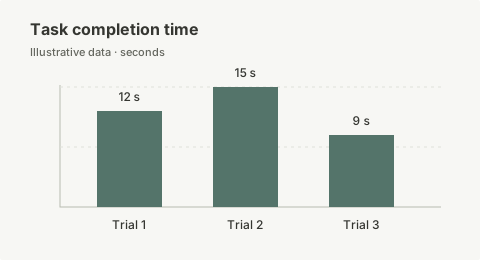Rendered image

An image reference renders the linked file. This example uses a bundled illustration; an upload supplies its own hosted URL.
Upload a file and insert its reference
Open the editor’s image or media control and choose a file to upload. A completed upload supplies the hosted URL used by the inserted Markdown image. You can also insert an existing image URL and provide its alt text.
The image bytes are stored separately from the document. The Markdown file contains a reference, such as . That address is illustrative; use the real URL returned by your upload. The example above uses a bundled image so you can see the syntax without uploading a file.
Describe what the image contributes
Replace an automatic filename with alt text that explains the useful information. For a screenshot, identify the relevant control or state. For a chart, state the measure and summarize the result; include the underlying values in text or a table when readers need them.
The Markdown image guide covers syntax and descriptions. The editor also supports an image-size extension, such as . Keep the image proportions sensible and check compatibility if you move the document to another renderer.
Reuse uploaded files and check the limits
The media library lets you find files you have already uploaded. Reuse the appropriate image URL when the same figure belongs in more than one document. JPEG, PNG, GIF, WebP, and SVG images are supported.
The upload limit is 50 MB per file, and the upload must fit within the account’s remaining storage allowance. The current Pro allowance is 2 GB. A smaller image is usually easier to load and share; crop or resize a large screenshot before uploading it. See plans for the current offer.
Keep the linked image available
A Markdown download contains the reference, not a copy of each hosted image. Deleting an image from the media library can break every document that uses its URL. Keep source images alongside an exported Markdown copy when you need a portable archive.
Before publishing a document, open the public page and check its images as a reader would. A local filesystem path cannot load on someone else’s computer. For a report with figures and equations, follow the research notes workflow.